

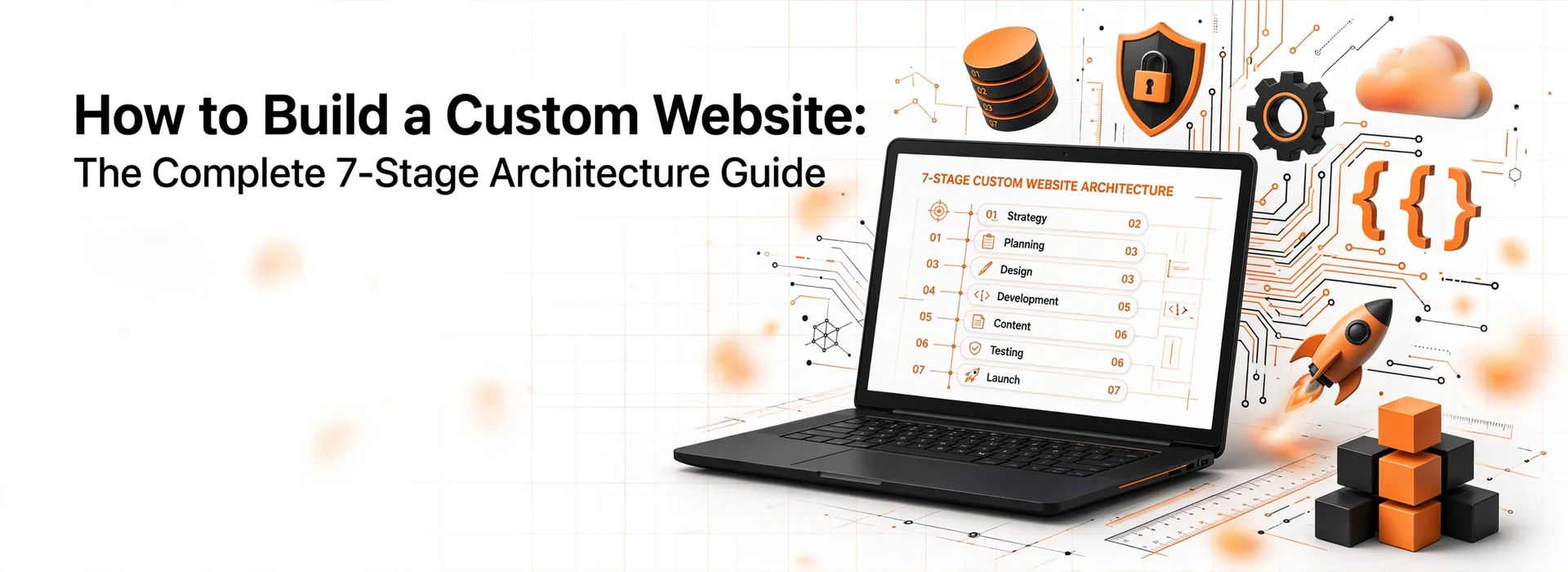
Learning how to build a custom website allows businesses to escape the limitations of off-the-shelf templates and create tailored digital products. A custom site delivers higher performance, tighter security, and complete control over database architecture and user experience. This guide breaks down the technical roadmap from initial discovery to server deployment.
Custom Website vs Template Website: Core Architectural Differences
Building a custom site differs fundamentally from setting up a page builder template. Page builders ship with bloated code libraries, excessive JavaScript, and rigid database schemas. In contrast, custom development builds clean source code tailored strictly to your functional requirements.
Understanding the direct trade-offs between custom code and pre-made templates ensures smart resource allocation. Analyzing performance, security, and scalability side by side clarifies why fast-growing brands invest in bespoke builds.
Before writing code, evaluating a custom website vs template website helps determine whether your project requires specialized architecture or standard content management.
| Evaluation Attribute | Custom Web Development | Template / Page Builder |
| Code Efficiency | Clean, minimal dependencies, fast DOM rendering | High CSS/JS bloat, unused plugin code |
| Page Speed & Core Web Vitals | Optimized asset delivery, sub-second LCP potential | Heavily dependent on third-party plugins |
| Scalability & Architecture | Custom database schemas, microservices support | Restricted by theme framework limits |
| Security Risk Profile | Low attack surface, custom authentication protocols | High vulnerability via outdated third-party plugins |
| Initial Investment | Higher upfront engineering cost | Low initial setup cost |
| Long-Term Ownership | Complete source code control and IP ownership | Tied to proprietary platforms or theme updates |
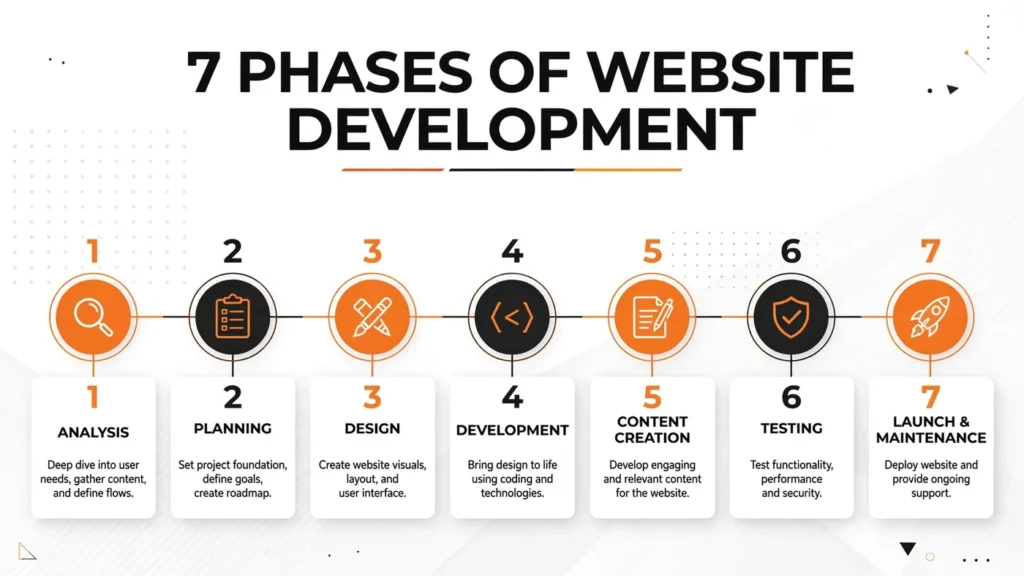
What Are the 7 Stages of Web Development?
Professional engineering teams follow structured software development life cycles (SDLC) to reduce bugs and prevent scope creep. Dividing the build into seven clear phases keeps design, content, and development aligned.
How to Build a Custom Website Strategy (Stage 1: Discovery & Requirements)
Stage 1 defines project goals, user personas, technical requirements, and functional specifications. Engineers compile a Software Requirement Specification (SRS) document defining database relationships, API integrations, and user roles. Clear discovery prevents costly re-architecture during mid-build development.
Stage 2: Architecture & Wireframing
Stage 2 maps out site architecture, URL structures, and page hierarchy. Designers create low-fidelity wireframes to visualize content hierarchy and user paths before adding visual styling. Engineers define the system architecture, selecting database structures and API schemas during this phase.
Stage 3: Custom Website Design & UI/UX Crafting
Stage 3 transforms low-fidelity wireframes into pixel-perfect high-fidelity UI designs. Designers build design systems, component libraries, typography scale, and color tokens using tools like Figma. Interactive prototypes undergo usability testing to refine navigation flows before developer handoff.
Stage 4: Frontend and Backend Technical Development
Stage 4 converts static design files into clean, executable code. Frontend developers build responsive views using HTML5, modern CSS, and JavaScript frameworks like React or Next.js. Backend engineers write server-side logic in Node.js, Python, or PHP, integrating relational databases like PostgreSQL or MySQL.
When companies need specialized agency execution, partnering for custom web development services accelerates engineering timelines through dedicated full-stack development teams.
Stage 5: SEO & Content Integration
Stage 5 structures semantic HTML tags, dynamic metadata, structured data schema, and content assets. Content engineers optimize image formats to WebP, set up lazy loading, and configure canonical tags. Implementing semantic search structure during development ensures search engines crawl and index pages accurately from day one.
Stage 6: QA Testing & Security Auditing
Stage 6 subjects the application to cross-browser testing, mobile responsiveness checks, and automated stress testing. Quality assurance teams execute functional tests, API security scans, and vulnerability checks against OWASP standards. Fixing technical bugs in a staging environment protects brand reputation prior to public launch.
Stage 7: Deployment, Server Setup & Maintenance
Stage 7 configures production web servers, SSL certificates, CI/CD pipelines, and domain DNS records. Engineers launch the application to cloud hosts such as AWS, Vercel, or DigitalOcean while setting up uptime monitoring. Post-launch maintenance includes automated database backups, security patches, and performance tuning.
How to Build a Custom Website: Step-by-Step Execution Blueprint
Executing a custom web project demands clear sequential milestones across the entire development team.
Step 1: Define Functional Requirements and Technical Specifications
Draft a detailed technical scope document covering system features, user auth, third-party APIs, and admin dashboard controls. Identify non-functional requirements including maximum page load time, concurrent user capacity, and data compliance standards.
Step 2: Map System Architecture and Database Schemas
Model entity-relationship diagrams (ERD) to plan database tables, foreign keys, and indexes. Establish API communication protocols, choosing between RESTful endpoints or GraphQL depending on frontend data requirements.
Step 3: Develop High-Fidelity UI Components and Design System
Establish a modular UI component library in Figma containing buttons, forms, modal dialogs, and navigation menus. Ensure visual contrast meets WCAG 2.1 accessibility standards across desktop and mobile viewports.
Step 4: Build Frontend Application Interfaces
Translate Figma design tokens into modular, reusable frontend components. Implement client-side routing, state management, and asset optimization strategies to maintain high rendering speeds.
Step 5: Engineer Backend APIs and Business Logic
Develop robust server endpoints to handle authentication, database queries, webhooks, and payment processing. Implement secure token-based authentication like JWT and sanitize all user inputs to prevent SQL injection.
Step 6: Integrate Semantic SEO and Schema Markup
Structure content with clean H1-H6 heading hierarchy, canonical links, XML sitemaps, and Schema.org structured data. Validate schema integration using Google Rich Results test tools to maximize AI search readability.
Step 7: Conduct Security Penetration and Performance Testing
Run Google Lighthouse, WebPageTest, and OWASP ZAP security vulnerability scans on the staging server. Resolve render-blocking resources, optimize database query performance, and verify HTTPS encryption prior to final DNS switch.
How to Build a Custom Website: Tech Stack Selection Matrix
Choosing the right tech stack dictates long-term site performance, scalability, and developer maintenance costs.
| Tech Layer | Framework / Technology Options | Best Use Case | Performance & Scalability |
| Frontend Framework | React.js, Next.js, Vue.js | High-interactivity web apps, headless architecture | Excellent (Server-Side Rendering / Static Site Generation) |
| Traditional Frontend | HTML5, Modern CSS, Vanilla JS | Lightweight marketing websites | Superior page load speed, minimal overhead |
| Backend Language | Node.js, Python (Django), PHP (Laravel) | API development, custom business logic | High throughput, asynchronous task handling |
| CMS Core | Headless WordPress, Strapi, Custom CMS | Structured content management | High content flexibility with decoupled rendering |
| Database | PostgreSQL, MySQL, MongoDB | Relational user data or unstructured document storage | Enterprise-grade query speed and indexing |
| Hosting & Infrastructure | AWS, Vercel, DigitalOcean | Cloud deployments, edge distribution | 99.99% uptime, auto-scaling capabilities |
Custom Web Development Checklist for 2026
A complete pre-launch deployment checklist guarantees zero missed steps before switching domain DNS.
- [ ] Technical requirements document and ERD database map finalized.
- [ ] UI/UX design components pass WCAG 2.1 accessibility guidelines.
- [ ] Frontend responsive layouts tested across iOS, Android, and desktop resolutions.
- [ ] Backend API endpoints secured with rate limiting and JWT tokens.
- [ ] Core Web Vitals score above 90 on Google PageSpeed Insights.
- [ ] Semantic HTML headings and structured JSON-LD schema implemented.
- [ ] SSL certificate active with strict HTTPS redirection rules.
- [ ] Automated daily database backups configured on production cloud servers.
Expert Tips for Building Scalable Web Architecture
Building web applications for long-term growth requires planning for database load and server expansion from day one.
Web Vision Expert Insight: When planning custom web architecture, decouple the frontend rendering layer from backend API logic using headless architecture. This pattern allows your team to overhaul design frameworks or launch mobile apps in the future without restructuring your core database or business logic.
Focus on modular CSS architectures and component-driven code to prevent stylesheet bloat as your site grows. Utilize edge caching CDN networks like Cloudflare to serve static assets closer to international users, reducing latency significantly.
5 Common Mistakes in Custom Web Development
Mistake 1: Skipping Low-Fidelity Wireframing and Planning
Jumping straight to high-fidelity visual design without wireframing causes layout confusion and frequent structural revisions.
Better approach: Validate user flows and content hierarchy using low-fidelity wireframes before designing final visual interfaces.
Mistake 2: Over-Engineering Tech Stacks for Simple Web Projects
Selecting overly complex microservice architectures for basic business websites increases development cost and deployment complexity unnecessarily.
Better approach: Select a lightweight tech stack tailored strictly to your actual traffic demands and functional requirements.
Mistake 3: Treating SEO as a Post-Launch Add-On
Adding SEO tags after building backend routing leads to broken URL structures, missing canonical links, and indexing errors.
Better approach: Integrate semantic URL structures, clean heading tags, and schema markup directly into early technical sprints.
Mistake 4: Hardcoding Business Logic and Content
Hardcoding text content or product details into frontend codebase requires developers for simple text updates.
Better approach: Connect custom applications to a headless CMS or database admin panel for effortless client content management.
Mistake 5: Neglecting Mobile Core Web Vitals Optimization
Developing solely on high-speed desktop setups causes developers to miss heavy JavaScript bundles that destroy mobile performance.
Better approach: Test performance on throttled mobile devices regularly throughout technical development iterations.
Frequently Asked Questions
What is the best tech stack to build a custom website?
The ideal tech stack depends on project goals, functional needs, and performance targets. High-traffic web applications benefit from Next.js or React on the frontend paired with Node.js or Laravel on the backend. For content-focused sites, headless WordPress or custom PHP delivers strong CMS management alongside custom frontend design flexibility.
How much does custom web development cost?
Custom web development costs vary based on feature complexity, design requirements, and API integrations. Basic custom marketing sites range between $3,000 and $8,000, while complex web applications or custom eCommerce platforms range from $10,000 to over $35,000. Scope documentation defines exact pricing tiers before engineering begins.
How long does it take to build a custom website?
Building a custom website typically takes 6 to 14 weeks depending on scope and engineering requirements. Discovery, wireframing, and UI/UX design consume 2 to 4 weeks. Backend API engineering, frontend coding, QA testing, and launch deployment require an additional 4 to 10 weeks of structured development sprints.
What are the 7 stages of web development?
The 7 stages of web development are Discovery & Requirements, Architecture & Wireframing, UI/UX Design, Development (Frontend & Backend), SEO & Content Integration, QA Testing & Security Audits, and Deployment & Maintenance. Following these 7 phases prevents project delays and maintains high software quality.
Is custom web development better than using WordPress templates?
Custom web development outperforms off-the-shelf templates in site speed, security, bespoke UI design, and database scalability. Templates suit simple, low-budget sites but carry heavy code bloat and plugin security risks. Custom development provides clean source code, unique features, and complete software ownership tailored strictly to business goals.
Conclusion
Learning how to build a custom website empowers businesses to deliver superior user experiences backed by scalable, secure technical architecture. Following a structured 7-stage development process eliminates guesswork, reduces technical debt, and ensures high performance across desktop and mobile devices.
Partnering with experienced software architects accelerates production while securing long-term software quality. Web Vision Expert provides full-stack custom web development and technical SEO engineering to build fast, scalable web applications tailored to your growth goals.