
An SEO audit is a detailed review of a website to find problems that may affect its search visibility, rankings, organic traffic, user experience, and conversions.
It looks at more than keywords. A complete website SEO audit examines technical SEO, on-page optimization, backlinks, content quality, mobile usability, site structure, and other factors that influence how search engines understand and access a website.
Think of an SEO audit as a health check for your website. It helps you identify what is working, what is holding the site back, and which improvements should be handled first.
What Is an SEO Audit?
An SEO audit is a systematic analysis of a website to identify SEO issues and opportunities.
The process can uncover problems such as:
- Pages that cannot be crawled or indexed
- Broken links and incorrect redirects
- Slow-loading pages
- Missing or weak title tags and meta descriptions
- Duplicate or thin content
- Poor internal linking
- Incorrect canonical tags
- Weak backlink profiles
- Mobile usability problems
- Missing structured data
- Content that does not match search intent
A good SEO audit does not simply create a long list of errors. It explains why each issue matters, how it affects the website, and what should be fixed first.
For example, fixing a blocked important page can be much more valuable than spending hours changing a minor image attribute.
What Is Site Audit In SEO?
A site audit is a broad examination of a website’s overall SEO health. The terms SEO audit and site audit are often used interchangeably.
However, a site audit tool usually focuses heavily on technical elements such as crawling, broken links, redirects, indexability, status codes, duplicate URLs, and internal linking.
A complete SEO audit goes further.
It combines the technical findings with:
- Keyword targeting
- Search intent
- Content quality
- Competitor analysis
- Backlink evaluation
- User experience
- Conversion opportunities
- Organic search performance
So, a technical site audit can be one part of a larger SEO audit.
Why Is An SEO Audit Important?
A website can have useful content and still struggle to rank because search engines may have difficulty crawling the site, understanding its pages, or connecting those pages to the right search queries.
An SEO audit helps uncover these hidden problems before they become bigger issues.
1. Uncover Invisible Technical Problems
Some SEO issues are difficult to notice from the front end of a website.
A page may look perfectly normal to a visitor while having:
- A
noindexdirective - A bad canonical tag
- A redirect chain
- A broken internal link
- Crawl restrictions
- Slow server response
- Duplicate URL versions
These issues can reduce the number of useful pages search engines can discover and index.
A technical SEO audit helps reveal problems that are not obvious during a normal website review.
For businesses that need deeper technical fixes, you can also explore Technical SEO Services from Web Vision Expert.
2. Stay Ahead Of Algorithm Changes
Search engines continuously improve how they evaluate websites.
An audit cannot predict every algorithm change, but it can help build a stronger foundation around areas that matter for long-term SEO, such as helpful content, crawlability, page experience, website quality, and clear site architecture.
Regular audits also help you catch technical or content problems before they affect a large number of pages.
3. Benchmark Against Competitors
SEO does not happen in isolation.
Your competitors may have stronger content coverage, better internal linking, more relevant backlinks, or a clearer website structure.
A competitor-focused SEO audit can compare:
- Keyword coverage
- Ranking pages
- Content depth
- Referring domains
- Backlink opportunities
- Topic coverage
- Search intent
- Site structure
This helps you understand where your website is falling behind and where realistic opportunities exist.
4. Get More Value From Your Existing Content
Creating more content is not always the answer.
An audit can reveal that existing pages already have ranking potential but need better optimization.
For example, a page may need:
- A clearer title
- Better search-intent alignment
- Stronger headings
- More complete topical coverage
- Better internal links
- Updated information
- Improved content structure
Optimizing pages that already have impressions or rankings can sometimes be more efficient than publishing another new article.
5. Provide A Foundation For Your Entire SEO Strategy
SEO works better when decisions are based on evidence rather than guesswork.
An audit gives you a baseline for building an SEO strategy around technical SEO, content, links, keywords, and user experience.
Instead of asking, “What should we do next?” you can prioritize actions based on impact, effort, and business value.
Download Free SEO/GEO/AEO Audit Checklist
A practical SEO audit checklist can help you review the major areas of a website without forgetting important details.
Your checklist can include technical SEO, content, on-page elements, backlinks, user experience, local SEO, and visibility in modern search experiences such as AI-generated answers.
For a quick starting point, Web Vision Expert also provides a Free SEO Audit Tool for checking important SEO opportunities.
What Is Included In An SEO Audit?
A full SEO audit usually covers four major areas: technical SEO, on-page SEO, off-page SEO, and user experience.
1. Technical SEO Audit
Technical SEO focuses on how easily search engines can crawl, understand, and access your website.
Crawlability And Indexability
Search engines need to discover and access important pages before those pages can become eligible for search results.
An audit checks for:
- Crawl blocks
robots.txtissuesnoindexdirectives- Orphan pages
- Crawl errors
- Indexing problems
- Incorrect URL variations
A page being crawlable does not automatically mean it will rank, but blocked or poorly accessible pages can create a serious SEO problem.
XML Sitemap
An XML sitemap helps search engines discover important URLs on a website.
An audit checks whether the sitemap:
- Contains important canonical URLs
- Avoids unnecessary URLs
- Is accessible
- Is submitted correctly
- Reflects the current website structure
URL Structure
Clean URLs make websites easier to understand.
An audit can identify:
- Very long URLs
- Unnecessary parameters
- Duplicate URL versions
- Inconsistent URL structures
- Poor folder organization
Page Speed And Core Web Vitals
Performance affects both user experience and the overall quality of a website experience.
An audit may review Core Web Vitals, server response, image sizes, JavaScript, CSS, caching, and other factors that can slow down pages.
Mobile SEO
Search engines primarily use the mobile version of a site for indexing.
A mobile SEO review checks whether important content, navigation, structured data, and functionality work correctly on smaller screens.
Redirects And Status Codes
Correct HTTP status codes help search engines understand what happened to a URL.
Common checks include:
- 200 status codes
- 301 redirects
- 302 redirects
- 404 errors
- 410 responses
- Redirect chains
- Redirect loops
Canonical Tags
Canonical tags help indicate the preferred version of a URL when similar or duplicate versions exist.
Incorrect canonicalization can send confusing signals to search engines.
HTTPS And Security
Your audit should confirm that important pages use HTTPS and that there are no major mixed-content or insecure-resource problems.
Structured Data And Schema Markup
Schema markup can help search engines understand content entities and page types.
Depending on the page, relevant structured data may include:
- Article
- Product
- LocalBusiness
- Organization
- Breadcrumb
- FAQ
Schema should describe the page accurately rather than being added simply to target rich results.
2. On-Page SEO Audit
On-page SEO examines how well individual pages communicate their topic, purpose, and relevance.
Keyword Research And Targeting
An audit checks whether each important page targets a clear topic and relevant search intent.
Instead of repeating one keyword, look at related entities and terms such as:
SEO audit, website audit, technical SEO audit, site audit, SEO analysis, search visibility, organic traffic, crawlability, indexability, SEO issues, SEO performance, content optimization, backlink analysis, and search intent.
The goal is topical relevance, not keyword stuffing.
Title Tags
Every important page should have a clear and useful title that reflects the page topic and search intent.
A strong title can improve relevance and may also influence click-through rate.
Meta Descriptions
Meta descriptions help communicate what a page is about in search results.
They should be unique, natural, and written for users rather than stuffed with keywords.
Header Structure (H1–H6)
A logical heading structure helps users scan content and makes the relationship between topics easier to understand.
Use one clear main topic, followed by meaningful H2, H3, and H4 sections where appropriate.
Content Quality And Depth
An SEO audit should evaluate whether the content genuinely satisfies the user’s query.
Look for:
- Missing subtopics
- Thin sections
- Outdated information
- Unsupported claims
- Repetitive copy
- Weak introductions
- Poor search-intent alignment
Good SEO content should be useful before it is optimized for search engines.
Internal Linking
Internal links help users move through a website and help search engines discover relationships between pages.
For example, an article about technical website health can naturally link to a relevant technical SEO service page.
Use descriptive anchor text and link from contextually relevant sections instead of adding random links.
For broader on-page improvements, see On-Page SEO Services.
Image Optimization
Images should be:
- Properly sized
- Compressed where appropriate
- Given descriptive file names
- Provided useful alt text when needed
- Served in suitable formats
Image optimization can improve usability and page performance while also helping search engines understand visual content.
Duplicate Content
An audit should identify duplicate or highly similar pages that may create confusion or unnecessary URL variations.
Common sources include:
- Product filters
- URL parameters
- Tag archives
- Printer versions
- HTTP and HTTPS versions
- WWW and non-WWW versions
3. Off-Page SEO Audit (Backlink Analysis)
Off-page SEO focuses on signals that exist outside your website, especially backlinks and the quality of referring domains.
Backlink Profile Analysis
Review the websites linking to your domain.
Look for:
- Relevant referring domains
- Strong editorial links
- Unnatural patterns
- Lost backlinks
- Broken backlinks
- Low-quality links
The goal is not simply to have more links. Relevance and quality matter.
Domain Authority Benchmarking
Metrics such as Domain Authority, Domain Rating, or similar third-party scores can be useful for comparison.
However, they are third-party metrics, not direct Google ranking factors.
Use them to benchmark your competitive landscape rather than treating them as proof of ranking ability.
Competitor Backlink Gaps
Competitor research can show websites that link to competing pages but not yours.
These gaps can reveal realistic link-building opportunities, especially when the referring websites are topically relevant.
Anchor Text Distribution
Review whether your backlink anchor text looks natural.
A healthy backlink profile usually contains a mixture of branded, URL-based, natural, and descriptive anchors rather than excessive exact-match keywords.
4. User Experience (UX) Audit
SEO and user experience are closely connected because bringing visitors to a page is only part of the goal.
Navigation Structure
Visitors should be able to reach important pages without unnecessary clicks.
Clear navigation also makes the website hierarchy easier to understand.
Page Layout And Design
Check for:
- Cluttered layouts
- Aggressive pop-ups
- Poor spacing
- Hard-to-read sections
- Hidden important information
- Weak calls to action
Mobile Usability
Test menus, forms, buttons, text size, images, and interactive elements on mobile devices.
A page can be technically responsive and still provide a poor mobile experience.
Content Readability
Break long sections into smaller paragraphs.
Use descriptive headings, simple sentences, bullets where useful, and clear transitions.
The best SEO content should feel easy to understand.
Conversion Flow
An SEO audit should also ask what happens after a visitor lands on the page.
Can the user easily:
- Request a quote?
- Contact the business?
- Buy a product?
- Book a service?
- Find more information?
High traffic has limited business value when the conversion path is confusing.
How Many Times Should You Audit Your Site For SEO?
There is no single schedule that works for every website.
A website may benefit from a full SEO audit every three to six months, with smaller checks performed more frequently.
You should also run an audit after major changes such as:
- A website redesign
- Migration to a new domain
- HTTPS migration
- Major URL changes
- CMS changes
- Large content updates
- Sudden ranking drops
- Significant traffic changes
Larger websites may need more frequent technical monitoring because new issues can appear as the site grows.
How To Perform An SEO Audit?
A reliable SEO audit follows a structured process.
Step 1: Define Your Goals
Start by deciding what you want the audit to achieve.
Your goals could include:
- Recovering lost rankings
- Increasing organic traffic
- Improving technical health
- Increasing leads
- Improving ecommerce visibility
- Fixing indexing problems
The goal determines what should receive the most attention.
Step 2: Run A Full Website Crawl
Use a crawler to identify technical issues across the site.
Review:
- Status codes
- Broken links
- Redirects
- Titles
- Meta descriptions
- Headings
- Canonicals
- Indexability
- Duplicate content
- Internal links
A website crawl gives you a useful technical baseline.
Step 3: Review Google Search Console
Google Search Console shows how your website performs in Google Search.
Review:
- Queries
- Clicks
- Impressions
- CTR
- Average position
- Indexed pages
- Search visibility
- Page-level performance
- Coverage and indexing issues
Look for pages with high impressions but low CTR and pages ranking on the edge of page one.
These can provide valuable optimization opportunities.
Step 4: Analyze Your Backlink Profile
Review your referring domains, important backlinks, anchor text, lost links, and competitor link gaps.
Do not focus only on backlink quantity. Evaluate relevance, quality, and the context of the links.
Step 5: Conduct On-Page And Content Review
Check whether each important page has:
- A clear topic
- Matching search intent
- Useful content
- Strong headings
- Relevant terms
- Good internal links
- Optimized metadata
- Helpful media
This step is where semantic SEO becomes especially important.
Step 6: Review Competitor Benchmarks
Select competing websites that rank for your target searches.
Compare their:
- Content coverage
- Page types
- Keyword themes
- Internal links
- Backlinks
- Website structure
- SERP presence
This can help identify content and authority gaps.
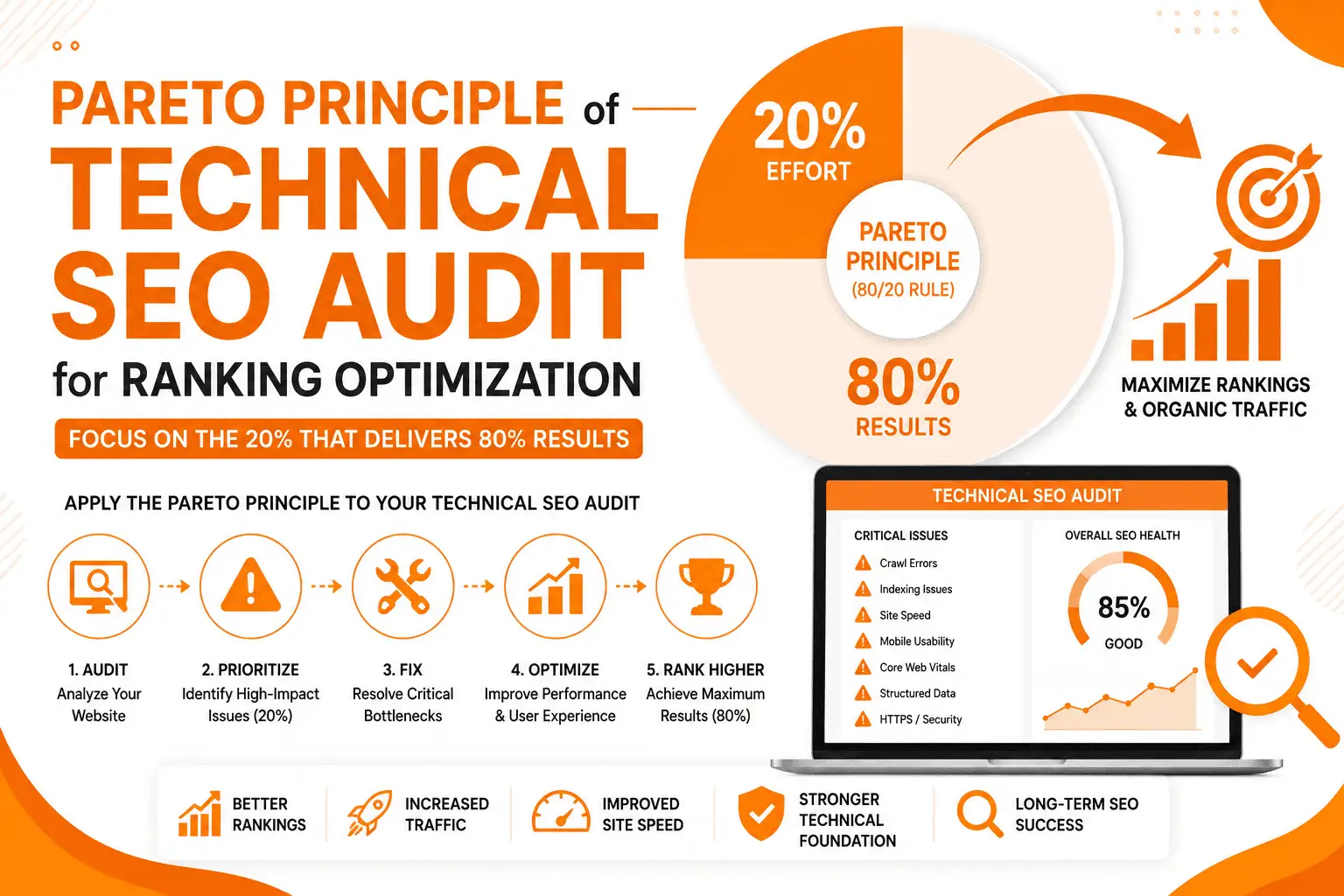
Step 7: Compile Findings Into A Prioritized Action Plan
Do not treat every SEO issue as equally important.
Group findings into:
High priority: Issues that can block crawling, indexing, rankings, traffic, or conversions.
Medium priority: Issues that can improve relevance, usability, or performance.
Low priority: Minor cleanup items with limited impact.
A useful SEO audit report should tell the business what to fix, why it matters, how difficult it is, and what should come next.
What Are The Best SEO Audit Tools?
Different tools are useful for different parts of an SEO audit.
Google Search Console
Best for understanding Google Search performance, indexing, queries, impressions, clicks, CTR, and page-level search data.
Google Analytics 4
Useful for analyzing organic traffic behavior, engagement, conversions, landing pages, and user journeys.
Screaming Frog SEO Spider
A strong choice for technical crawling and identifying issues related to URLs, status codes, metadata, canonicals, redirects, headings, and internal links.
SEMrush Or Ahrefs
These platforms can help with:
- Keyword research
- Competitor analysis
- Backlink analysis
- Ranking data
- Content opportunities
- Site audits
A professional SEO audit often uses several tools because no single platform provides the complete picture.
Google PageSpeed Insights / GTmetrix
Useful for reviewing page performance, loading behavior, Core Web Vitals, and technical opportunities that can improve the user experience.
Moz Pro
Moz Pro provides tools for keyword research, link analysis, rankings, and site auditing.
The important point is not which tool has the longest feature list. It is how well the data is interpreted and turned into practical actions.
How Web Vision Expert Approaches SEO Audits?
At Web Vision Expert, an SEO audit should not be treated as a generic automated report.
The process starts by understanding the website, target audience, business goals, search intent, and competitive environment.
We then evaluate the site across major SEO areas, including:
- Technical SEO
- Crawlability and indexability
- Keyword targeting
- Content quality
- Internal linking
- On-page optimization
- Backlink profile
- Competitor gaps
- Mobile usability
- Page performance
- Structured data
- Search visibility
The next step is prioritization.
Instead of overwhelming a business with hundreds of technical warnings, the findings should be organized around issues that can produce meaningful SEO improvements.
The final SEO audit report should make it clear:
What is wrong → why it matters → how to fix it → what to prioritize first.
This approach turns an SEO audit from a list of errors into a practical roadmap for improving organic search performance.
Conclusion
So, what is an SEO audit?
It is a complete health check of your website’s search performance and SEO foundation.
A strong audit examines technical SEO, on-page optimization, content, internal links, backlinks, user experience, site structure, and competitor opportunities.
More importantly, an audit should lead to action.
Finding a problem is only the first step. The real value comes from fixing the issues that matter most, improving important pages, strengthening your website structure, and building a strategy around measurable opportunities.
Whether you are running a small business website, ecommerce store, service website, or large content site, a regular SEO audit can help you understand why your pages are not performing as expected and what to improve next.
Frequently Asked Questions?
Why do businesses need an SEO audit?
Businesses need an SEO audit to identify technical, content, on-page, backlink, and user-experience issues that may limit search visibility, traffic, leads, or sales.
How does an SEO audit help improve website performance?
An audit identifies weaknesses and prioritizes improvements. Fixing important technical issues, improving content, strengthening internal links, and addressing usability problems can create a stronger foundation for organic growth.
What does a full SEO audit include?
A full SEO audit can include technical SEO, crawlability, indexability, sitemap review, Core Web Vitals, mobile SEO, URL structure, redirects, canonical tags, schema markup, on-page SEO, content analysis, internal linking, backlink analysis, competitor research, and UX evaluation.
How often should I conduct an SEO audit?
Many websites can benefit from a detailed audit every three to six months, along with smaller checks throughout the year. Major migrations, redesigns, traffic drops, and significant structural changes are also good reasons to perform an audit.
Which tools are best for SEO audits?
Google Search Console, Google Analytics 4, Screaming Frog, Ahrefs, SEMrush, Google PageSpeed Insights, GTmetrix, and Moz Pro are widely useful. The best setup depends on the size and goals of the website.
Why choose Web Vision Expert for an SEO audit?
Web Vision Expert approaches SEO audits as strategy and diagnosis rather than just automated issue collection. The goal is to identify meaningful SEO problems, understand their business impact, prioritize fixes, and create a clear action plan for improving search visibility and performance.