
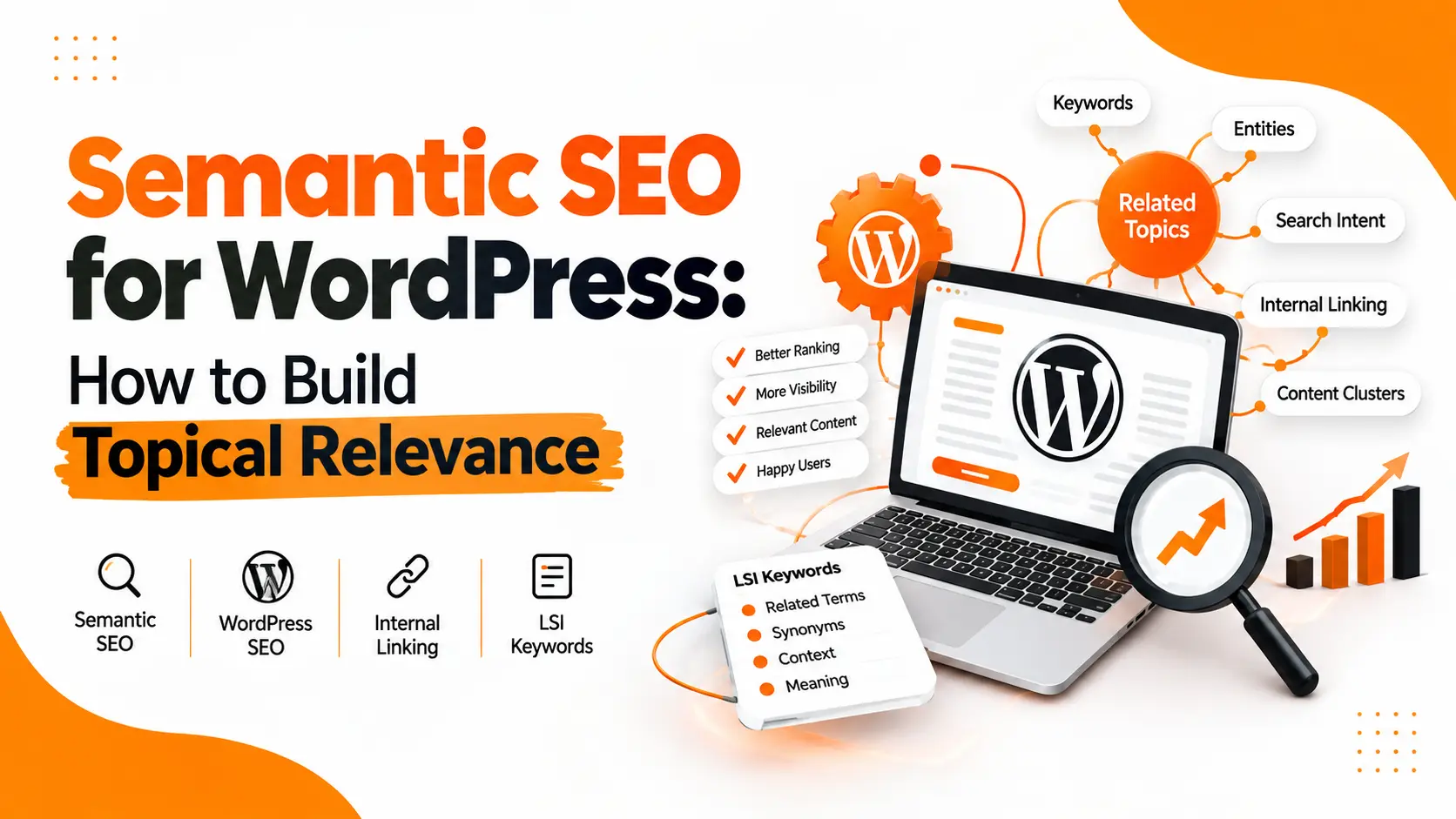
Semantic SEO for WordPress is about making your content easy for search engines and readers to understand.
It is not about repeating one keyword again and again.
A semantic SEO strategy connects your main topic with related terms, questions, entities, search intent, supporting content, and internal links.
For example, a page targeting semantic SEO WordPress should not only mention the exact keyword. It should also explain semantic search, topical relevance, entities, related keywords, LSI keywords, internal linking, content clusters, and how semantic SEO works.
This helps create a complete resource instead of a page written only for one keyword.
What Is Semantic SEO?
Semantic SEO is the process of optimizing content around the meaning and context of a topic, rather than focusing only on an exact keyword.
Search engines can understand relationships between words, concepts, entities, and user intent.
So, a page about WordPress SEO may naturally discuss:
- WordPress websites
- search intent
- keyword research
- topical authority
- internal links
- schema markup
- content structure
- related entities
- technical SEO
These terms support the main topic without needing to repeat the same phrase.
Semantic SEO Meaning
The simple semantic SEO meaning is:
Create content that clearly covers a topic, its related concepts, and the questions users have about it.
The goal is better relevance and clearer topical coverage.
How Semantic SEO Works
Semantic SEO works by connecting concepts.
Imagine the main topic is WordPress SEO.
Related concepts can include:
WordPress → plugins → technical SEO → on-page SEO → internal linking → schema markup → Core Web Vitals → keyword research → search intent
These concepts create a meaningful topic network.
A strong article does not treat each keyword as a separate target. It explains how the concepts are related.
That is one of the main differences between old keyword-focused optimization and modern semantic optimization.
Semantic SEO vs Traditional SEO
Traditional SEO often starts with an exact keyword and tries to optimize a page around it.
Semantic SEO starts with the broader topic and asks:
What does the user really want to know?
What related questions exist?
Which concepts belong to this topic?
Which entities should be explained?
Which supporting pages should be connected?
Both approaches can use keywords.
The difference is that semantic SEO gives more attention to context, relationships, intent, and topical completeness.
Semantic SEO Example
Suppose the target topic is:
How to improve Google ranking
A weak article may repeat the phrase many times.
A stronger semantic SEO article may cover:
- keyword research
- search intent
- on-page optimization
- content quality
- internal linking
- backlinks
- technical SEO
- page speed
- mobile usability
- schema markup
- content updates
- local SEO
These subjects are closely related to improving organic search visibility.
The article becomes useful because it covers the actual topic instead of just repeating one phrase.
How to Do Semantic SEO
A practical semantic SEO workflow can be simple.
1. Start With Search Intent
First, understand why people are searching.
The intent may be:
Informational:
The user wants to learn.
Commercial:
The user is comparing options or services.
Transactional:
The user is ready to buy or take action.
Navigational:
The user is looking for a specific website or brand.
Your content should match the dominant intent.
2. Build a Topic Map
Start with your main subject.
Then add related concepts.
For example:
Main topic: Semantic SEO
Related topics:
- semantic search
- search intent
- topical relevance
- entities
- related keywords
- LSI keywords
- content clusters
- internal linking
- schema markup
- topical authority
- WordPress SEO
This topic map helps you avoid shallow content.
3. Find Related Keywords
Keyword research should not stop at the primary keyword.
Look for related searches, questions, comparisons, entities, and supporting terms.
Useful sources include:
Google autocomplete, People Also Ask, related searches, forums, keyword tools, competitor pages, and your own Search Console data.
The goal is not to collect hundreds of keywords.
The goal is to understand the language and concepts surrounding the topic.
How to Find LSI Keywords
The term LSI keywords is still commonly used in SEO discussions.
However, you should not treat LSI keywords as a special list that must be inserted into every page.
Instead, look for closely related words, entities, subtopics, and phrases that naturally appear around your main subject.
For example, for semantic SEO WordPress, related terms may include:
- WordPress SEO
- topical authority
- search intent
- semantic search
- internal linking
- content clusters
- entities
- structured data
- related keywords
- SEO plugins
- content optimization
These terms help explain the subject in more depth.
How to Use LSI Keywords
Use related terms where they make sense.
Do not force them into every paragraph.
You can place them in:
- headings
- introductory paragraphs
- explanations
- examples
- FAQs
- image context
- internal link anchors
The content should still sound natural.
For example, instead of repeating:
semantic SEO WordPress
you can naturally write:
“WordPress sites can improve topical relevance by connecting related articles through strategic internal links.”
The meaning remains clear without keyword stuffing.
Semantic SEO for WordPress
WordPress is well suited to semantic SEO because you can easily organize content into categories, pages, posts, taxonomies, and internal links.
A WordPress semantic SEO setup can include:
Clear Content Structure
Use one clear H1.
Break large sections into useful H2 and H3 headings.
Keep paragraphs short.
Answer important questions directly.
Related Content
Create supporting articles around your main service or topic.
For example, a WordPress SEO topic can be supported by articles about technical SEO, schema, ranking factors, internal linking, and SEO audits.
Your sitemap already contains supporting SEO content such as Schema Markup Guide, How to Do SEO for a Website, Core Web Vitals Explained, and On-Page SEO Checklist 2026.
Internal Linking
Internal linking is one of the easiest ways to connect related content.
For example, this article can link to your Semantic SEO WordPress guide.
You can also connect it with your On-Page SEO Services, Technical SEO Services, AI SEO Services, and SEO Services in Pakistan.
These links should appear where they genuinely help the reader.
Schema Markup
Structured data can help search engines understand specific information on a page.
For WordPress sites, schema can be implemented through SEO plugins or custom development.
Your Schema Markup Guide can be used as a supporting resource.
Semantic SEO WordPress Plugins
There is no single plugin that magically makes a WordPress website semantic.
Plugins can help with technical and on-page elements.
For example, an SEO plugin can assist with:
- title tags
- meta descriptions
- canonical URLs
- XML sitemaps
- schema
- breadcrumbs
- robots directives
But the semantic quality of the website still depends on the content architecture.
A plugin cannot replace good topic research.
Can WordPress Use Semantic SEO for Free?
Yes.
You do not need an expensive semantic SEO tool to start.
You can build a basic workflow with WordPress, Google Search Console, Google search results, competitor research, and a spreadsheet.
A paid tool can make research faster.
It does not automatically make the strategy better.
Interlinking Tools for Semantic SEO
An interlinking tool can help identify pages that should be connected.
However, automated suggestions should be reviewed before publishing.
A good internal link should:
- make contextual sense
- use a natural anchor
- point to a relevant page
- help users continue their research
Do not add internal links simply to increase the number of links.
Relevance matters more than volume.
Semantic SEO and Content Clusters
Content clusters are useful for building topical depth.
A central page covers the main topic.
Supporting articles cover narrower questions.
Those pages are connected through internal links.
For example:
Main topic: WordPress SEO
Supporting topics:
- semantic SEO
- technical SEO
- on-page SEO
- schema markup
- Core Web Vitals
- internal linking
- SEO audits
This structure makes the relationship between pages much clearer.
Semantic SEO and Topical Authority
Topical authority is not created by publishing random articles.
The content should cover a connected subject from different useful angles.
For example, a website discussing SEO can create content about:
Keyword research → search intent → on-page SEO → technical SEO → internal linking → schema → content strategy → local SEO
The topics support each other.
This creates a stronger topical structure than publishing unrelated posts.
Common Semantic SEO Mistakes
Keyword Stuffing
Repeating the exact keyword does not make content more semantic.
Write naturally.
Writing for Keywords Instead of People
A keyword list is not a content strategy.
Understand what the user wants first.
Adding Random Related Terms
Every related term does not need to be included.
Only use terms that improve the explanation.
Ignoring Internal Links
Great articles can remain isolated when there are no relevant connections to other pages.
Creating Thin Supporting Content
Publishing many short articles around similar phrases can create unnecessary overlap.
Each page should have a clear purpose.
How to Create a Semantic SEO Strategy
A practical strategy looks like this:
Research → Search Intent → Topic Map → Related Terms → Content Structure → Internal Links → Schema → Review → Update
Start with one important topic.
Understand the search intent.
Map the related concepts.
Create useful sections.
Connect the page with related content.
Then review the page using real search data.
This is more sustainable than trying to rank by repeating one keyword.
Frequently Asked Questions
What is semantic SEO?
Semantic SEO is an approach that optimizes content around meaning, context, related concepts, entities, and search intent instead of relying only on exact-match keywords.
What is a semantic SEO example?
A semantic SEO example is an article about WordPress SEO that naturally covers internal linking, technical SEO, schema markup, search intent, content structure, and related concepts.
What is a semantic SEO strategy?
A semantic SEO strategy includes search-intent analysis, topic mapping, related concepts, content clusters, internal linking, structured data, and continuous content improvement.
How do I do semantic SEO?
Start with the main topic. Understand search intent. Find related questions and concepts. Cover them naturally. Connect related pages with internal links and keep the content useful for readers.
How does semantic SEO work?
Semantic SEO works by creating content that clearly explains a topic and its relationships with connected concepts, entities, questions, and user intent.
How do I find LSI keywords?
Use search suggestions, related searches, People Also Ask, competitor content, keyword research tools, forums, and Search Console to identify related terms and concepts.
How do I use LSI keywords?
Use related terms naturally when they improve context or explain the subject. Do not force them into every paragraph.
Is semantic SEO different from traditional SEO?
Yes. Traditional SEO often focuses heavily on individual keywords. Semantic SEO takes a broader view of meaning, context, intent, entities, and relationships between topics.
Is semantic SEO useful for WordPress?
Yes. WordPress makes it easy to build structured content, categories, supporting articles, internal links, schema, and topic clusters.
Final Takeaway
Semantic SEO is not about adding more keywords.
It is about creating a clearer relationship between your main topic, related concepts, user questions, supporting content, and internal links.
For WordPress websites, start with search intent and topic coverage.
Then build useful content around the subject.
Use related terms naturally.
Connect relevant pages.
Keep the structure clear.
That is a much stronger approach than writing the same keyword repeatedly.